wallhaven壁纸网站爬虫

moye Lv6

wallhaven壁纸网站爬虫

基础库

1
2
3
4
5
6
7
8
import os  
import time

import requests
from bs4 import BeautifulSoup
import re

# 使用pip install re安装

思路分析

  • 分析上面的几个url,发现toplist与hot只是单词不同,page代表第几页,一页24副图片。
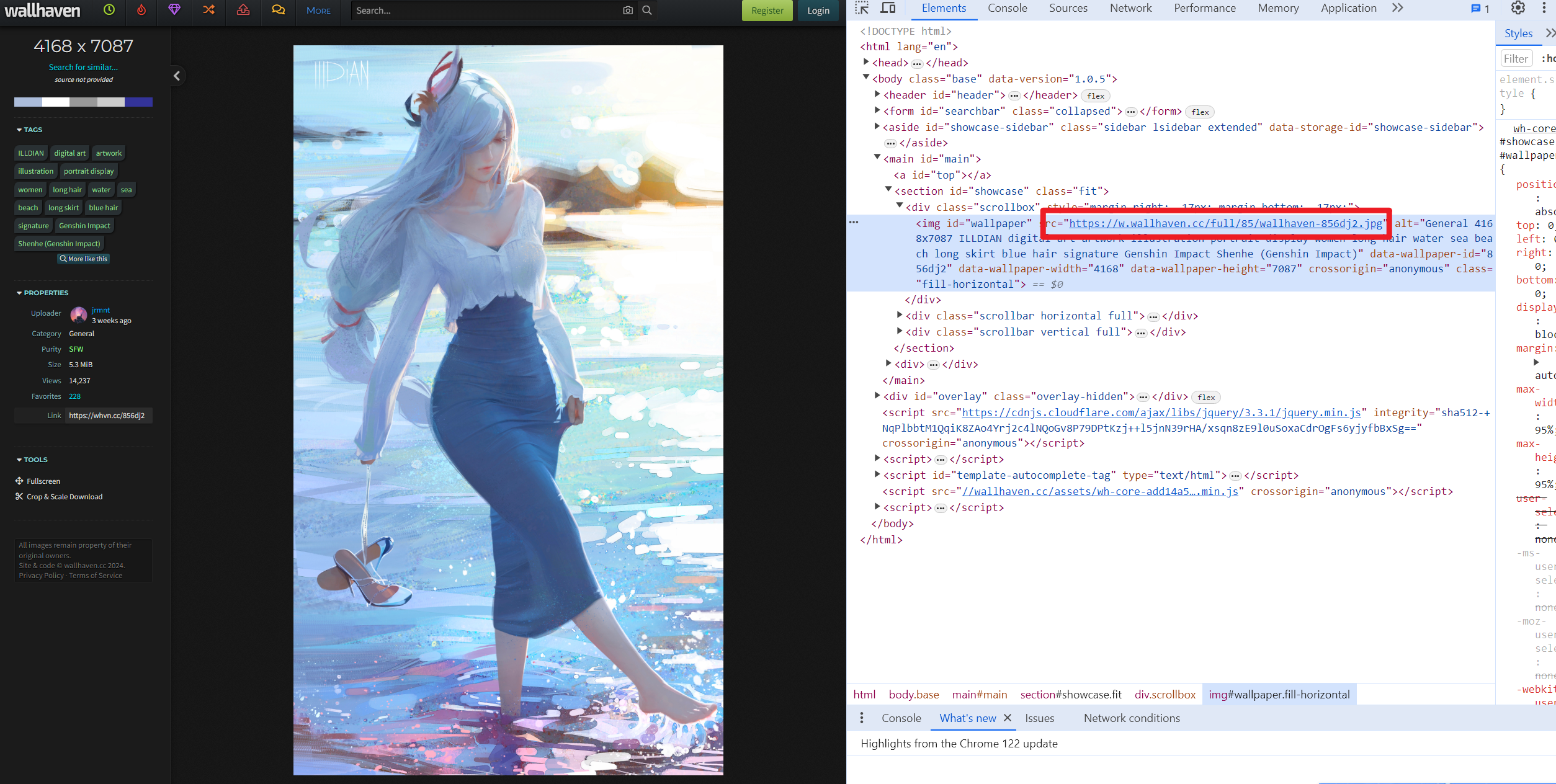
  • 查看网页源码,分析缩略图的链接。
  • 根据缩略的url与原图的url对比,发现仅需替换单词而已。
  • 例如缩略图的链接https://th.wallhaven.cc/small/85/856dj2.jpg
  • 原图链接https://w.wallhaven.cc/full/85/wallhaven-856dj2.jpg
  • 因此仅需使用正则进行替换即可。
  • 但是在爬取过程中发现有的图片无法下载,分析原因:
    • 缩略图全是jpg格式,而原图不一定是jpg格式,可能是png等等
    • 如何解决呢?总不能把全部格式全下载一遍吧。
    • 采取二级爬虫。

二级爬虫

1
2
3
4
5
6
7
8
9
10
11
12
13
14
15
16
17
18
19
20
21
22
23
24
25
26
27
28
29
30
31
32
33
34
35
import os  
import time

import requests
from bs4 import BeautifulSoup
import re

download_dir = r'D:\壁纸wallhaven'
os.makedirs(download_dir, exist_ok=True)

headers = {
# 'referer': 'https://wallhaven.cc/',
'User-Agent': 'Mozilla/5.0 (Windows NT 10.0; Win64; x64) AppleWebKit/537.36 (KHTML, like Gecko) Chrome/92.0.4515.159 Safari/537.36',
}
# # url = "https://wallhaven.cc/toplist?page=3"
proxies = {'http': 'http://127.0.0.1:7890', 'https': 'http://127.0.0.1:7890'}
# response = requests.get(url, proxies=proxies)

# 发起请求并获取页面内容
base_url = "https://wallhaven.cc/toplist?page={}"

start_page = 3
end_page = 10

for page in range(start_page, end_page + 1):
url = base_url.format(page)
print(f"正在爬取第{page}页")
print(url)
response = requests.get(url, proxies=proxies)
html_content = response.text

# 使用BeautifulSoup解析页面内容
soup = BeautifulSoup(html_content, "html.parser")
# 找到所有class为"preview"的链接
preview_links = soup.find_all("a", class_="preview")
  • 上述代码获取到预览的链接
  • 使用BeautifulSoup进行解析预览的链接
  • 再次进行爬取,爬取预览链接里面的内容
  • 可见,针对爬取到的内容进行清洗页面,获取原图链接

获取原图链接

1
2
3
4
5
6
7
8
9
10
11
12
13
14
15
16
17
18
19
20
21
22
23
24
25
26
27
28
for page in range(start_page, end_page + 1):  
url = base_url.format(page)
print(f"正在爬取第{page}页")
print(url)
response = requests.get(url, proxies=proxies)
html_content = response.text

# 使用BeautifulSoup解析页面内容
soup = BeautifulSoup(html_content, "html.parser")
# 找到所有class为"preview"的链接
preview_links = soup.find_all("a", class_="preview")

# 提取链接并打印
for link in preview_links:
href = link.get("href")
print("======================================")
print(href)
time.sleep(1)
# 发起GET请求并下载图片
try:

response_2 = requests.get(href, proxies=proxies)

# 使用BeautifulSoup解析HTML内容
soup = BeautifulSoup(response_2.text, "html.parser")

# 找到id为"wallpaper"的img标签
wallpaper_img = soup.find("img", id="wallpaper")
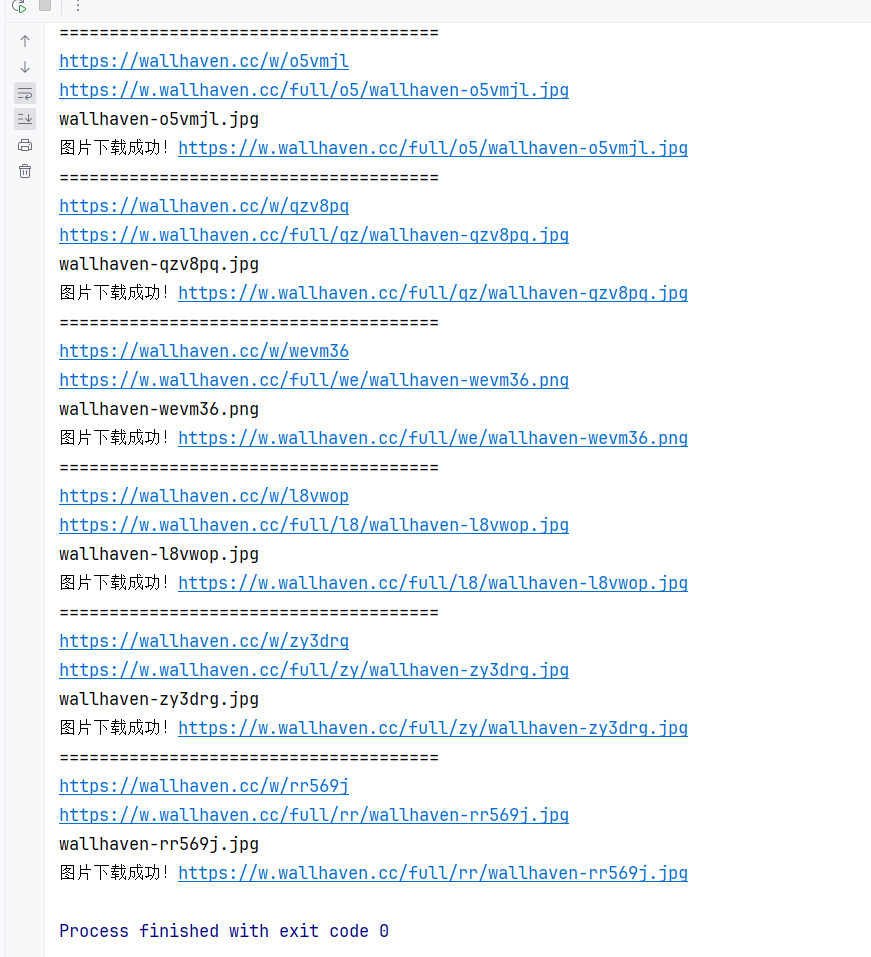
  • 再次使用soup清洗页面,获取链接,到此即可拿到原图链接
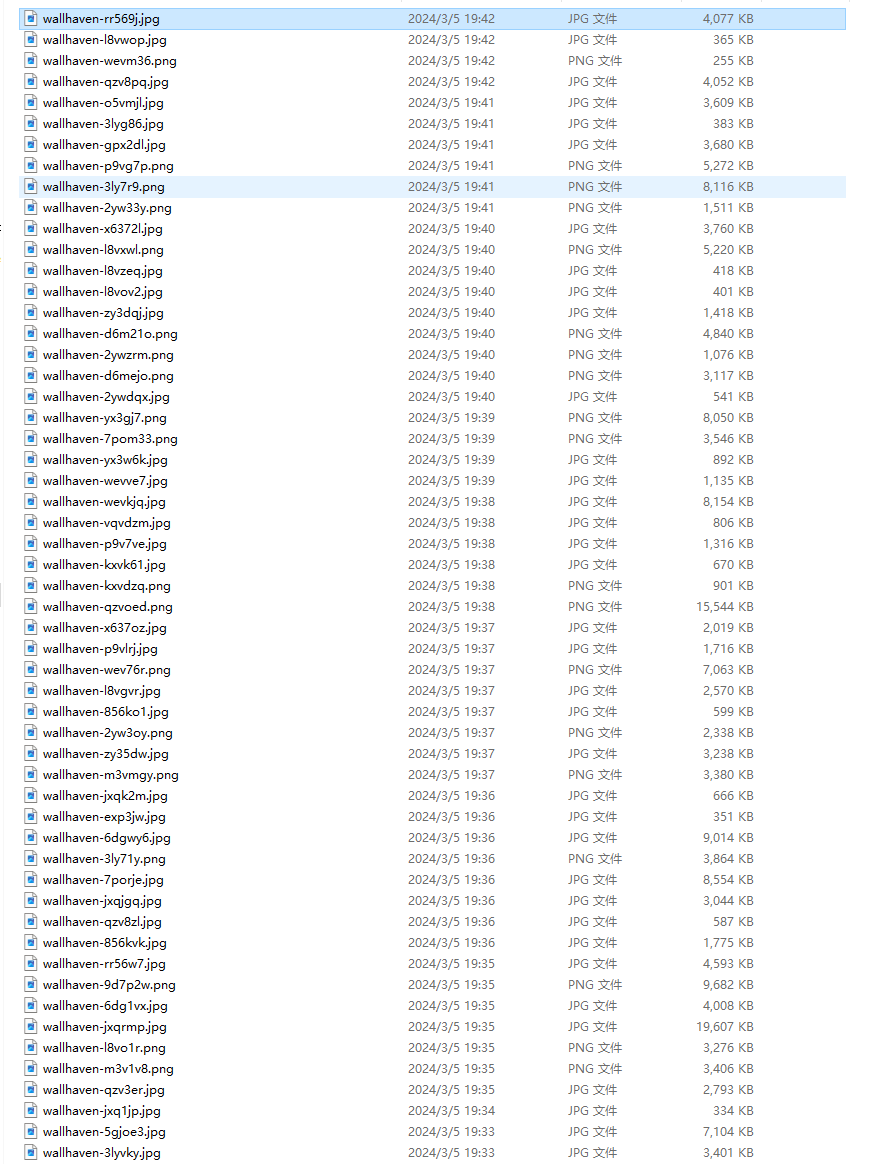
  • 再进行下载,写入文件即可

完整源码

1
2
3
4
5
6
7
8
9
10
11
12
13
14
15
16
17
18
19
20
21
22
23
24
25
26
27
28
29
30
31
32
33
34
35
36
37
38
39
40
41
42
43
44
45
46
47
48
49
50
51
52
53
54
55
56
57
58
59
60
61
62
63
64
65
66
67
68
69
70
71
72
73
74
import os  
import time

import requests
from bs4 import BeautifulSoup
import re

download_dir = r'D:\壁纸wallhaven'
os.makedirs(download_dir, exist_ok=True)

headers = {
# 'referer': 'https://wallhaven.cc/',
'User-Agent': 'Mozilla/5.0 (Windows NT 10.0; Win64; x64) AppleWebKit/537.36 (KHTML, like Gecko) Chrome/92.0.4515.159 Safari/537.36',
}
# # url = "https://wallhaven.cc/toplist?page=3"
proxies = {'http': 'http://127.0.0.1:7890', 'https': 'http://127.0.0.1:7890'}
# response = requests.get(url, proxies=proxies)

# 发起请求并获取页面内容
base_url = "https://wallhaven.cc/toplist?page={}"

start_page = 3
end_page = 10

for page in range(start_page, end_page + 1):
url = base_url.format(page)
print(f"正在爬取第{page}页")
print(url)
response = requests.get(url, proxies=proxies)
html_content = response.text

# 使用BeautifulSoup解析页面内容
soup = BeautifulSoup(html_content, "html.parser")
# 找到所有class为"preview"的链接
preview_links = soup.find_all("a", class_="preview")

# 提取链接并打印
for link in preview_links:
href = link.get("href")
print("======================================")
print(href)
time.sleep(1)
# 发起GET请求并下载图片
try:

response_2 = requests.get(href, proxies=proxies)

# 使用BeautifulSoup解析HTML内容
soup = BeautifulSoup(response_2.text, "html.parser")

# 找到id为"wallpaper"的img标签
wallpaper_img = soup.find("img", id="wallpaper")

# 提取链接并打印
src_link = wallpaper_img.get("src")
print(src_link)

file_name = src_link.split("/")[-1]
print(file_name)

# 发起GET请求并下载图片
response = requests.get(src_link, proxies=proxies)

# 检查请求是否成功
if response.status_code == 200:
# 保存图片到本地
with open(os.path.join(download_dir, f"{file_name}"), "wb") as f:
f.write(response.content)
print("图片下载成功!" + src_link)
else:
print("下载失败,状态码:", response.status_code, '"', src_link, '"')
except Exception as e:
print("爬取失败:", e)
continue # 跳过当前链接,继续处理下一个链接

注意

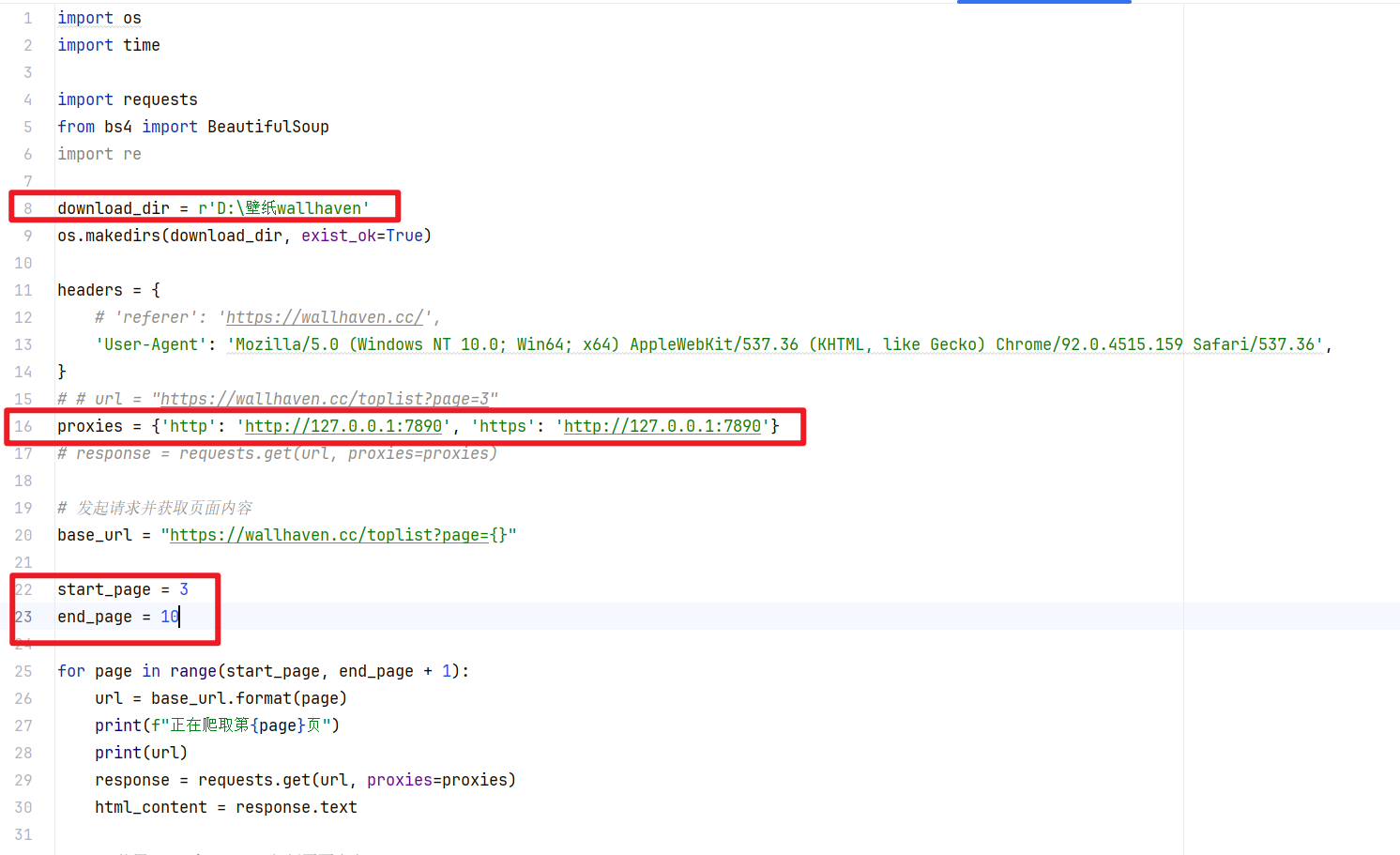
  • 需要使用代理
  • 使用clash默认端口号为7890
  • 其他代理更改为对应的代理即可
  • 壁纸保存的位置
  • 代理
  • 开始与结束的页码,一页24张

  • 标题: wallhaven壁纸网站爬虫
  • 作者: moye
  • 创建于 : 2024-07-18 14:10:07
  • 更新于 : 2025-12-11 14:39:48
  • 链接: https://www.kanes.top/2024/07/18/wallhaven壁纸网站爬虫/
  • 版权声明: 本文章采用 CC BY-NC-SA 4.0 进行许可。
评论